Turn any idea into
videos, reels and daily autopilot posts
Koglify writes, narrates, designs and renders for you: a prompt, your footage or a voice recording becomes a captioned MP4 with motion effects, music and sound, in English, Hindi or Hinglish.
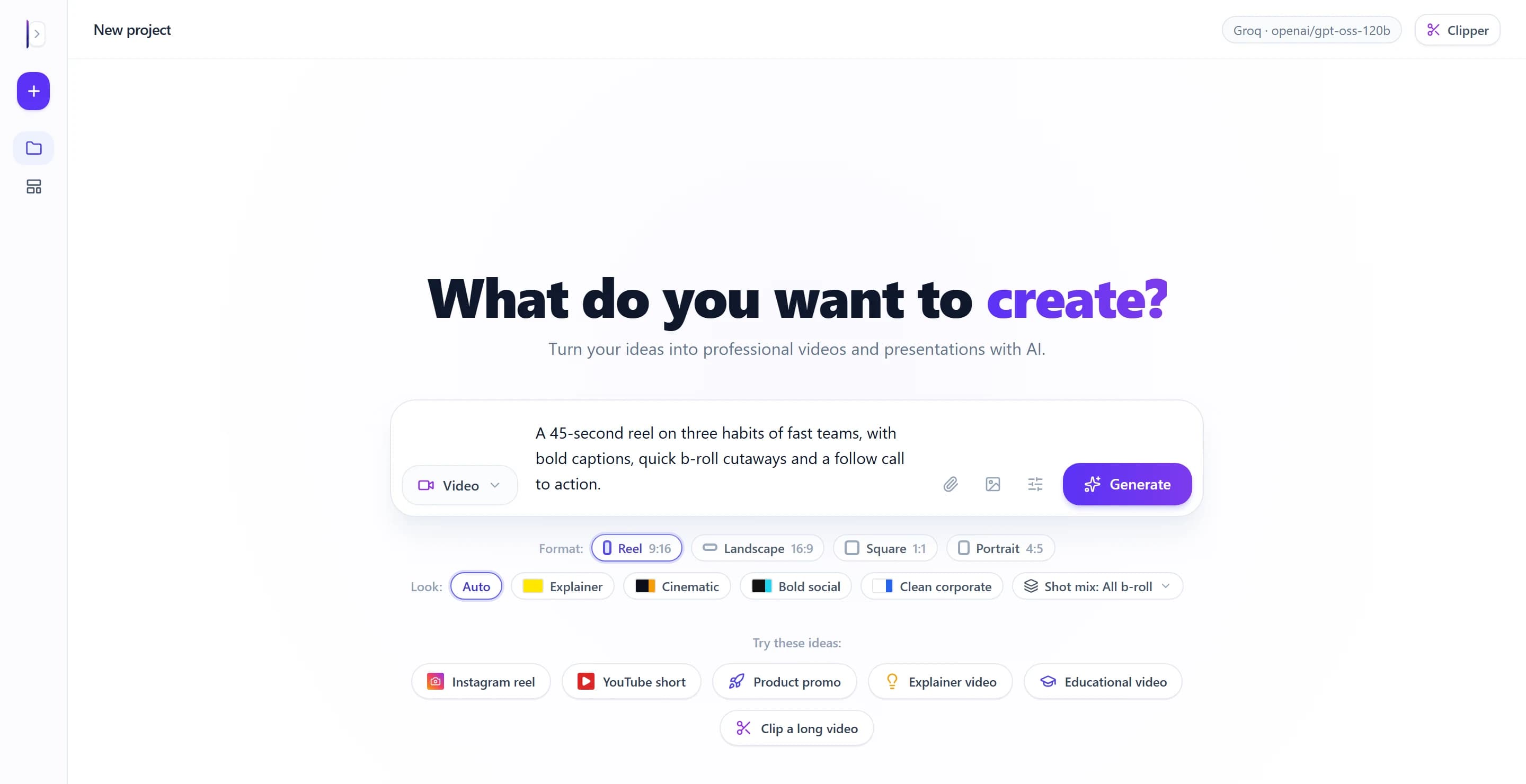
From idea to export,
in one studio
Type a prompt, attach footage or a voice recording, or start from one of 90 ready video ideas. Pick a format, a look and a narrator before you generate.
the busywork
One studio,
every step of video
Video studio
A prompt, your footage or a voiceover in; a storyboarded, captioned MP4 out, with AI-picked motion effects. Reels, Shorts, YouTube and feed formats.
SHIP SMALL EVERY DAY
Looks and effects
16 named video styles and 62 AI-picked motion effects, each with its own sounds. See them live in Browse styles.
Autopilot
Keep your topics in a Google Sheet. Every day the next rows become videos, arrive with captions, tags and a thumbnail, ready for you to post to Instagram Reels and YouTube.
Start from an idea,
finish in minutes
90 ready video ideas by topic and vibe, each setting its look, format and narrator. Pick one, change the topic and generate.
Browse ideas and stylesSixteen looks,
each with its own motion
Vox-style paper collage, Documentary, Data story, Breaking news, Neon tech and more. Preview every one live, pick it by hand or let the AI match it to your topic.
Publish
everywhere,
at once
Vertical reels, wide YouTube videos, square and portrait feed posts, as one MP4 download. Each video comes with titles, descriptions and hashtags written for YouTube, Instagram, LinkedIn and TikTok.
Koglify Visuals:
recordings that zoom for you
Our Chrome extension records your screen, camera and microphone, then glides the camera in on every click. Product demos and tutorials look edited without an editor, and your recordings never leave your computer.
- Auto-zoom on every click
- Screen, webcam and microphone
- Trim, frames and backgrounds
- MP4 up to 4K, wide or vertical
Tip: record a walkthrough with Koglify Visuals, then drop it into the video studio to turn it into a polished reel.
Pro results,
without the
busywork
Captions you control.
Timed to every word. Change the font, size and position for the whole video, a stretch of scenes or one scene.
Preview equals the render.
One render plan drives the preview and the MP4: what you watch is what you download.
AI narration in your language.
Natural voices for English, Hindi and Hinglish, spoken sentence by sentence with real pauses.
Your brand on every video.
Upload your logo once: Koglify finds your colors, stamps it as a watermark and tints every video.
Edit on your phone.
A CapCut-style bottom toolbar and full-screen preview make the whole editor work in one hand.
A publish kit for each video.
Titles, descriptions and hashtags for YouTube, Instagram, LinkedIn and TikTok.
Create your first project
in minutes
Three steps
Describe your idea
A prompt, your footage, or a voice recording. That’s all it needs.
Review the plan
Edit the storyboard, by hand or by asking.
Export and publish
Download the MP4 with copy for every platform, or let Autopilot post it.
Rendering your reel
0:45 · 9:16
Footage
Matched to every scene
Captions
Timed to every word
Sound
Voice, music and effects mixed
Start creating
Start with 500 free credits. After that, pay only for what you use: see pricing.